Download Jam Bus Sandfall
Jam Bus:Sandfall is free on the App Store and Google Play. There is no browser version. The buttons below open the official store pages; this site does not host the game or any installer.
What kind of game is Jam Bus Sandfall?
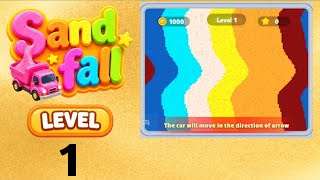
Jam Bus: Sandfall is a tap puzzle that mixes a car-park jam with a sand picture. Each level shows a picture made of coloured sand above a road. Below the road is a crowded car park of coloured buses, each with an arrow. Tap a bus and it drives out in the arrow's direction, joins the road, and scoops up sand of its own colour. As sand is removed, the rest of the picture falls and settles into a pile. Clear all the sand to finish the level.
How a level works
- Arrows. A bus can only leave the car park in the direction its arrow points, and only if nothing is in the way. Buses in front have to go first.
- Road places. The counter above the car park (for example 3/5) shows how many of the road's places are taken. A bus waits on the road until it has collected enough sand of its colour. When every place is taken, the game shows a "parking spaces are full" message and offers an extra place for coins or lets you give up a life.
- Fill level. Each bus on the road shows how full it is. When it is full it drives off and frees its place.
- Falling sand. Removing one colour makes the sand above it slide down, so colours that were apart in the picture can end up mixed in the pile.
- Boosters. The buttons along the bottom are boosters, including one that adds an extra parking place.
New to the game? Read the rules and five general tips before your first hard level.
Official store links
-
iPhone and iPad
App Store
Get it on App StoreStore details checked 2026-11-02.
-
Android
Google Play
Get it on Google PlayStore details checked 2026-11-02.
Jam Bus Sandfall game details
| Developer | Nova Games Technology Limited |
|---|---|
| Genre | Casual puzzle (car-park jam + colour sorting) |
| Price | Free, with ads and optional in-app purchases (App Store packs from $1.99; Remove Ads $9.99) |
| Age rating | 4+ on the App Store, Everyone on Google Play |
| First released | September 17, 2026 (App Store) |
| Browser version | None; mobile only |
| Levels covered here | 1–72 (level 67 coming when a video is available) |
Stuck already? Start with these levels
The levels players look up most, going by walkthrough views on YouTube.


How to install Jam Bus Sandfall
- Open the official store. Use the button for your device above, or search for “Jam Bus:Sandfall” in the store app.
- Check the developer name. Several games have similar names. Make sure the listing says Nova Games Technology Limited.
- Install and play. When you get stuck, come back and find your level.
Download questions
Is Jam Bus Sandfall free?
Yes. Jam Bus:Sandfall is free to download on the App Store and Google Play. It shows ads and sells optional in-app purchases such as coin packs, boosters and ad removal.
Can I play Jam Bus Sandfall on PC or in a browser?
There is no browser version and no official PC release. The game is published for phones and tablets only, through the stores listed above.
Is there an APK or modded version?
Not from us. We only link to the official stores. APK files from other sites are not checked by the stores, can carry malware and do not get updates.
My level doesn't look like the guide. Why?
Developers sometimes redesign or reorder levels in an update. Check the version list on our update log, and compare the picture description on the level page with your board.
Install from the official store only
This is an unofficial fan guide, not affiliated with Nova Games Technology Limited. We never offer APK files or modified versions. Our guide was last updated on 2026-11-02.